빠른 둘러보기
작은 화면에 풍부한 정보.
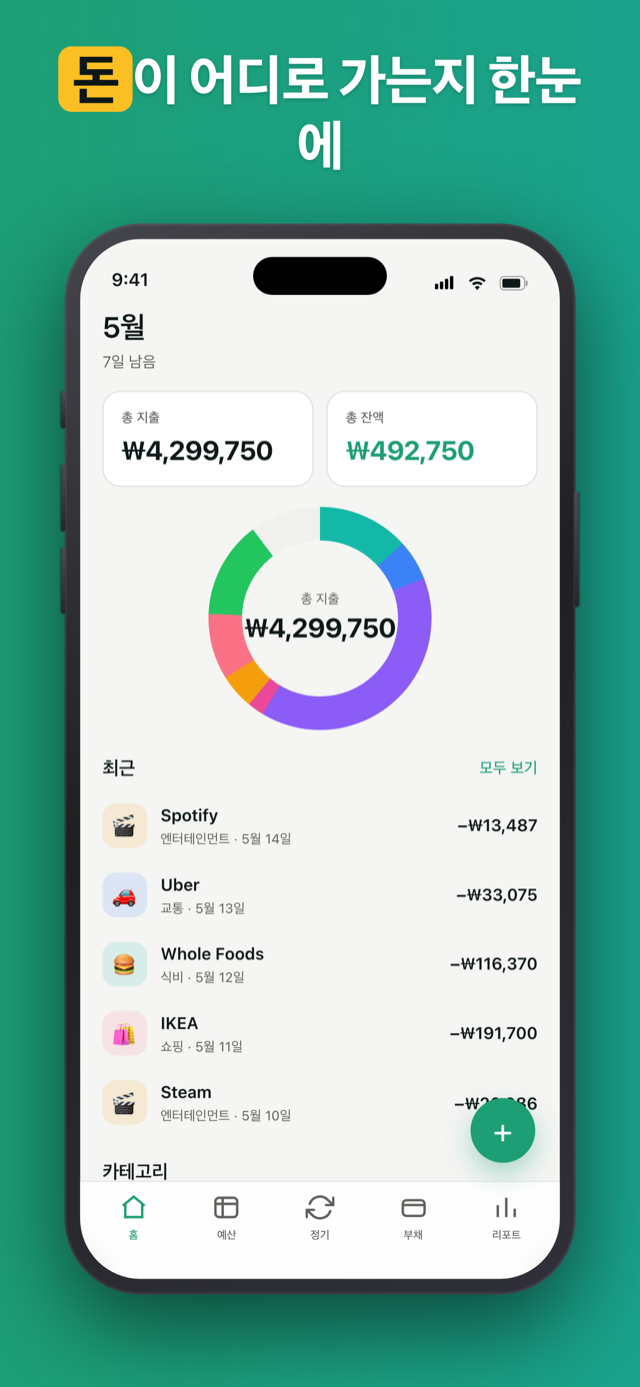
프라이버시 우선 iOS 예산 추적기. 은행 로그인 없음, 구독 없음, 계정 없음 - 한 번 결제하면 데이터는 당신의 기기에 남습니다.
Penno는 은행 자격 증명을 묻지 않습니다. 돈에 대한 네트워크 호출 0회 - 비행기 안에서 열어도 작동합니다.
설치, 실행, 시작. "계정 만들기" 화면이 없습니다. 계정이라는 것 자체가 없습니다.
한 번 구매하면 당신의 것. 월 사용료 없음, 연간 갱신 없음, "Pro로 업그레이드" 없음. 구매한 버전 그대로, 모든 기능.
Penno에는 백엔드가 없습니다. 데이터는 휴대폰에 있는 단일 SQLite 파일입니다. 원하실 때마다 직접 본인의 iCloud에 백업할 수 있어요 - Penno 서버는 절대 거치지 않습니다. 그래도 우리는 여전히 볼 수 없습니다.
현금으로 2만원, 카카오페이로 3만원? 메모하세요. 부채 상환마다 메모가 있어 - 6개월 뒤에도 정확히 기억납니다.
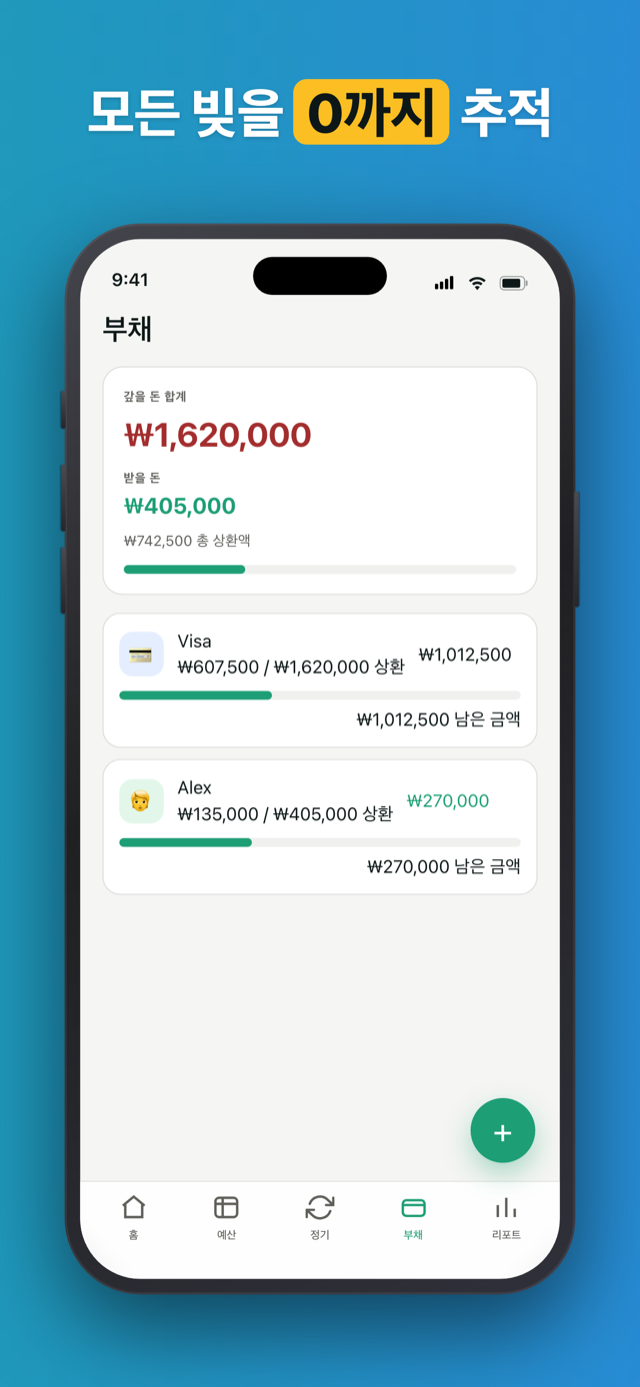
부채를 2만원씩 갚아 나가세요. 각 결제는 자체 날짜가 있는 행 - 잔액이 줄수록 타임라인이 자라납니다.
누가 빌려간 돈, 잊었나요? Penno는 기억합니다. 움직임 없는 부채에 조용히 알려드립니다 - 어색해지기 전에.
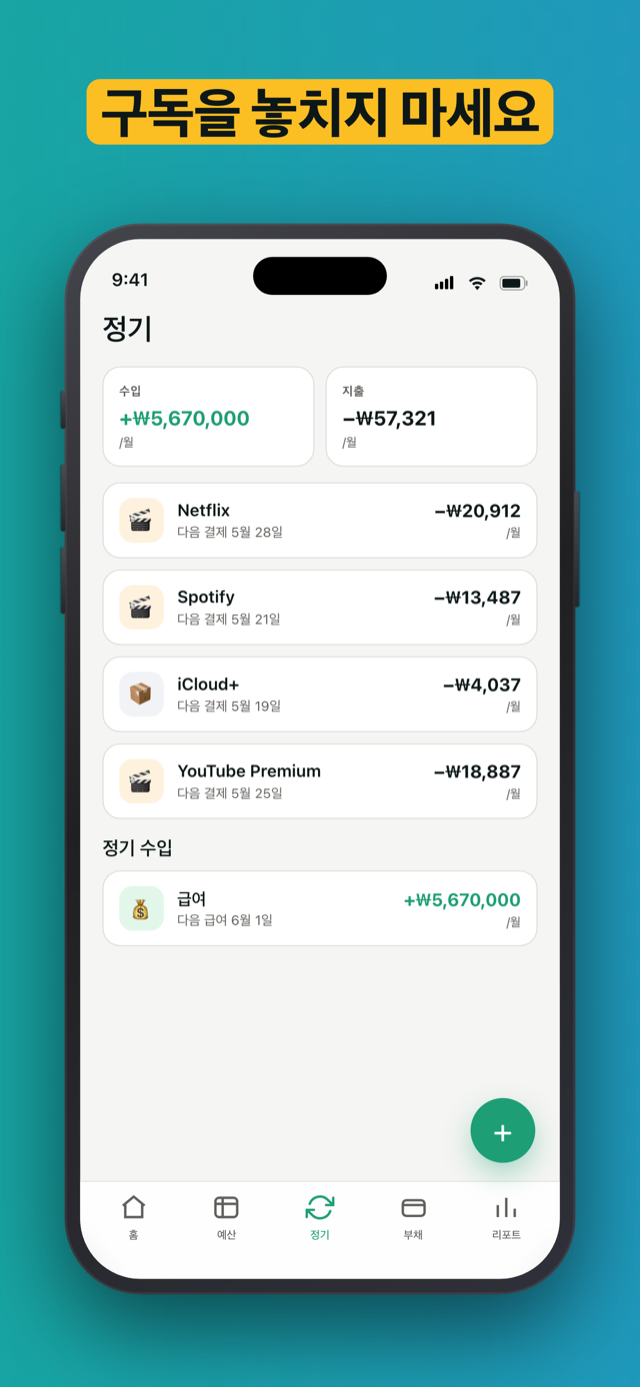
한 번 설정. 매달 청구일에 자동 기록 - 하루 전 알림 포함.
앱 잠금을 켜면 Penno가 Face ID, Touch ID 또는 암호 뒤로 숨어요 - 누가 당신의 휴대폰을 집어 들어도 잔액은 비공개로 남습니다.
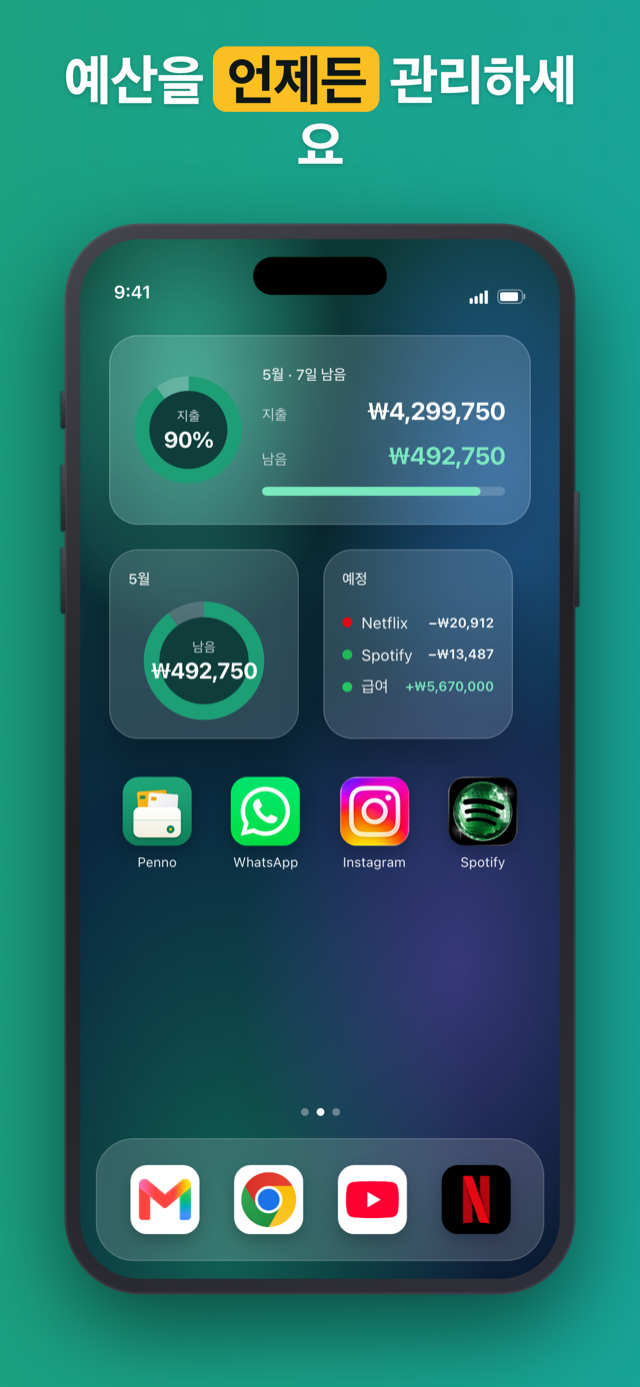
홈 화면이나 잠금 화면에 위젯을 올려보세요 - 남은 예산, 이번 달 지출, 다가오는 청구, 최근 거래까지 앱을 열지 않고도 확인할 수 있어요.
“드디어 은행 로그인을 요구하지 않는 앱. 작년에 정확히 그 이유로 앱 세 개를 삭제했다.”
“모든 가계부 앱이 구독으로 바뀌는 것에 지쳤다. 한 번 결제하고 그 이후로 팝업 없음.”
“오래된 빚 알림이 훌륭하다. 동생이 나에게 2만원 빌렸다는 걸 완전히 잊고 있었다.”
Penno는 당신의 재정에 관한 어떤 네트워크 호출도 하지 않습니다. 거래, 부채, 정기 결제는 기기의 budget-planner.db에 저장됩니다. 데이터가 앱을 떠나는 유일한 방법은 당신의 손으로 직접 - CSV나 XLSX로 내보내거나, 당신 본인의 iCloud에 백업하는 것뿐입니다. 둘 다 직접 하는 수동 작업이고, iCloud 백업은 당신 본인의 계정으로 가지 Penno 서버는 절대 거치지 않습니다.
아니요. Penno는 은행 로그인 정보를 절대 요구하지 않으며 계좌 연동 SDK도 포함하지 않습니다. 모든 거래는 직접 입력합니다. 의도한 설계 선택이며, 금융 데이터는 기기를 벗어나지 않습니다.
일회성 구매입니다. 한 번 결제하면 앱은 영원히 내 것입니다. 월 요금도, 연간 갱신도, 「Pro로 업그레이드」 알림도 없습니다. 구매한 버전에 모든 기능이 들어 있습니다.
모든 데이터는 iPhone 안의 로컬 SQLite 데이터베이스(budget-planner.db)에 저장됩니다. iCloud에 백업하지 않는 한 Penno는 금융 정보에 관한 어떤 네트워크 요청도 하지 않습니다. 백업도 파일 하나를 본인의 iCloud에 저장할 뿐, Penno 서버에는 보내지 않습니다. 어느 쪽이든 저희는 데이터를 받지 않습니다.
네. Penno는 설계부터 오프라인 우선입니다. 비행기 안, 지하실, 신호가 없는 어디서든 앱을 열면 모든 기능이 작동합니다. 네트워크를 쓰는 것은 iCloud 백업뿐이고, 그것도 직접 백업 또는 복원을 누를 때만입니다.
초기 설정에서 기본 통화를 고르고 언제든 설정에서 바꿀 수 있습니다. 숫자 표기는 기기 언어를 따릅니다(JPY·KRW는 소수점 없이, 유로 기호 위치는 지역 규칙에 맞춰). 실시간 환율 변환은 없으며, Penno는 선택한 통화를 그대로 기록합니다.
네. 한 번 탭하면 전체 데이터를 CSV 또는 XLSX로 내보냅니다. CSV는 다시 가져올 수 있어 기기를 옮길 때 유용하고, XLSX는 읽기 전용입니다. 둘 다 범위를 정할 수 있습니다. 어떤 테이블(거래, 카테고리, 반복, 부채)을 어떤 기간으로 포함할지 고르면 됩니다.
네. Penno는 Google Play에서 안드로이드도 지원하며 iOS 15 이상(iPhone, iPad)에서도 쓸 수 있습니다. iOS가 먼저 나왔지만 두 플랫폼의 기능과 일회성 구매 조건은 같습니다.
기기에 있던 데이터도 함께 삭제됩니다. iCloud 백업을 저장해 두었다면 본인이 iCloud에서 지울 때까지 남아 있습니다. 어느 쪽이든 내가 관리하는 파일을 원한다면 먼저 CSV나 XLSX로 내보내세요. 다시 설치하면 그대로 가져올 수 있습니다.