A quick tour
Small surfaces, big information.
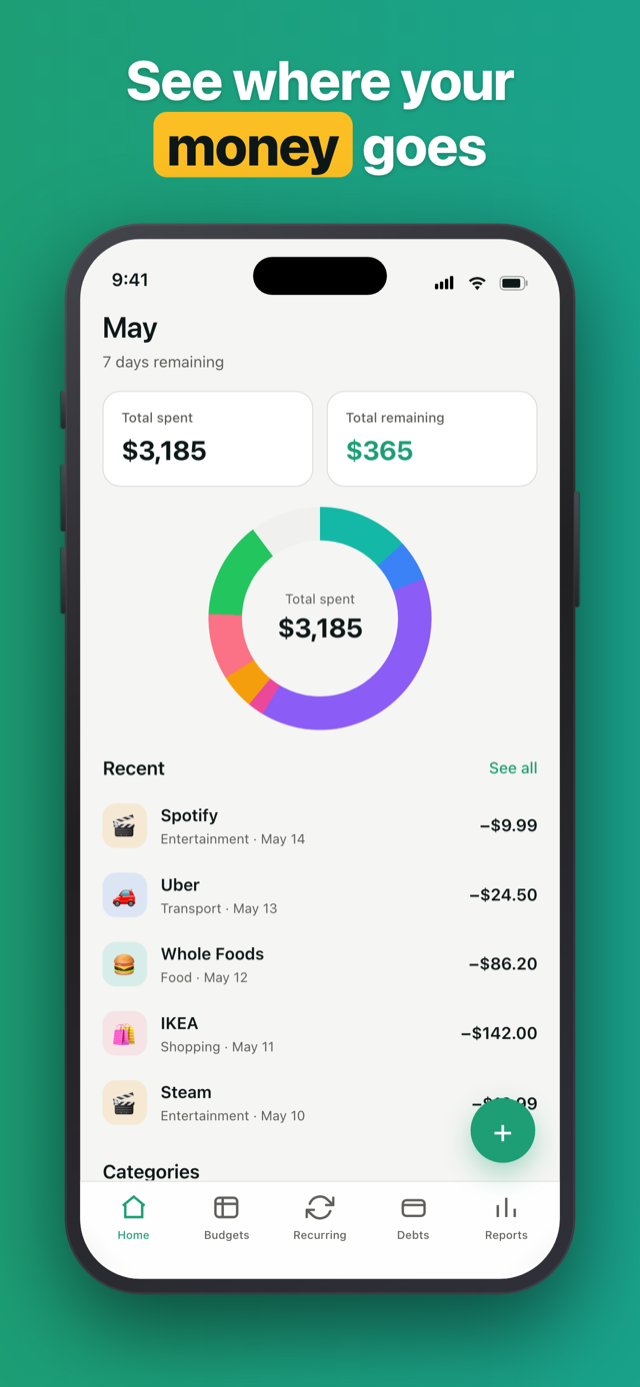
A local-first budget tracker for iOS. Every cent stays on your device.
Penno never asks for your bank credentials. Zero network calls about your money - open the app on a plane and it works.
Install, open, start budgeting. There’s no “create account” screen. There’s no account.
Pay once, own it. No monthly fee, no annual renewal, no “upgrade to Pro” nag. The whole app, in the version you bought.
Penno runs no backend. Your data is a single SQLite file on your phone. You can back it up to your own iCloud whenever you choose - never a Penno server. We still can’t see it.
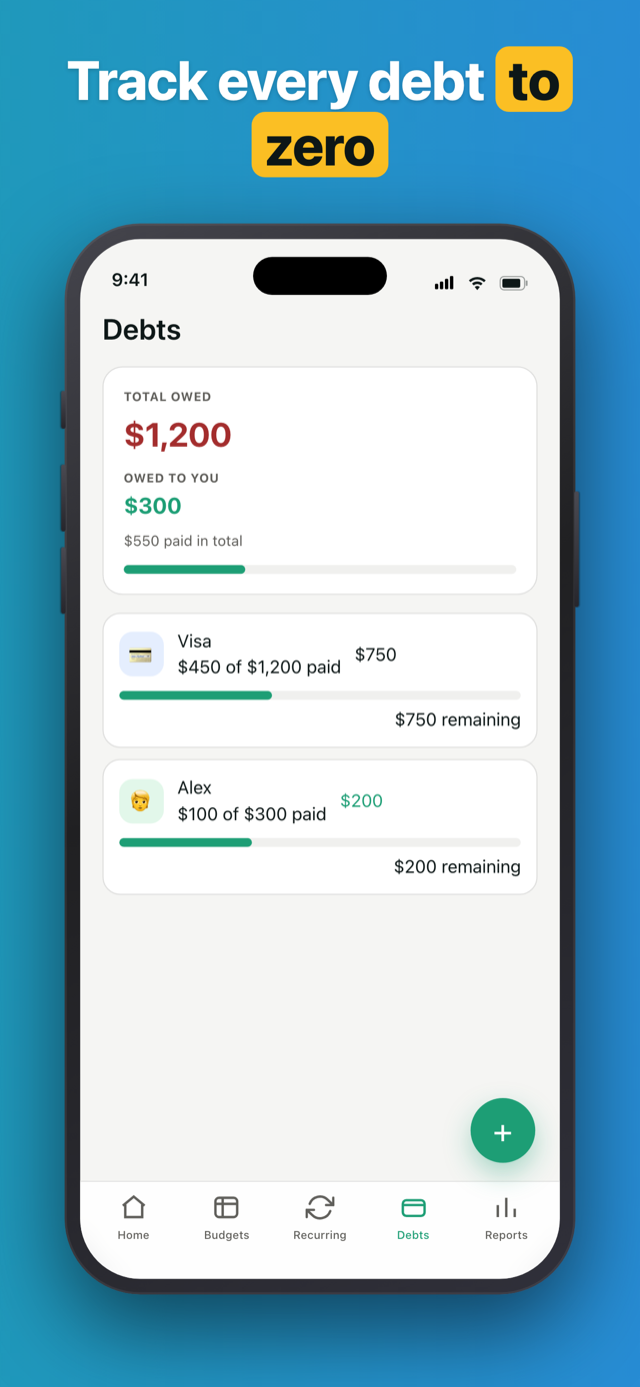
Paid $20 in cash, $30 on Venmo? Note it. Each debt payment carries its own note - so six months later you actually remember.
Chip away at a debt $20 at a time. Each payment is its own row with its own date - see the timeline grow as the balance drops.
Forgot about money someone owes you? Penno hasn’t. Get a quiet nudge for debts that haven’t moved - before they get awkward.
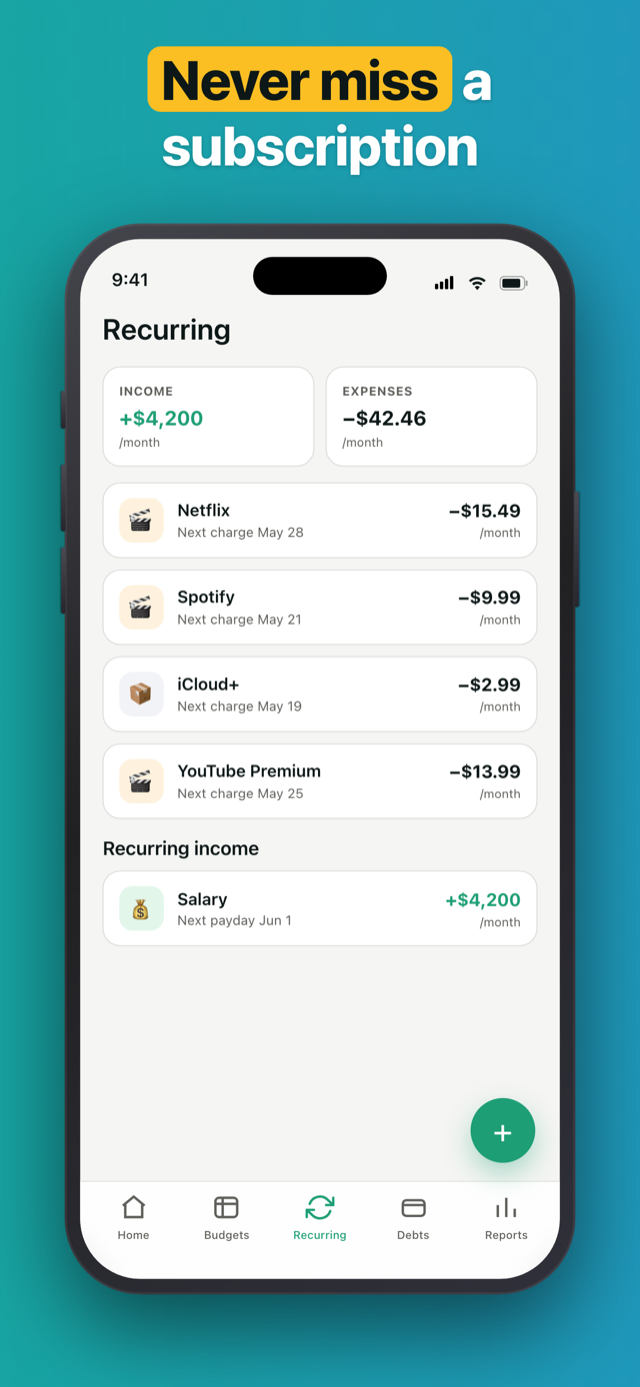
Set it once. The recurring charge logs itself on bill day every month - with a reminder the day before.
Switch on App Lock and Penno hides behind Face ID, Touch ID, or your passcode - your balances stay private even if someone else picks up your phone.
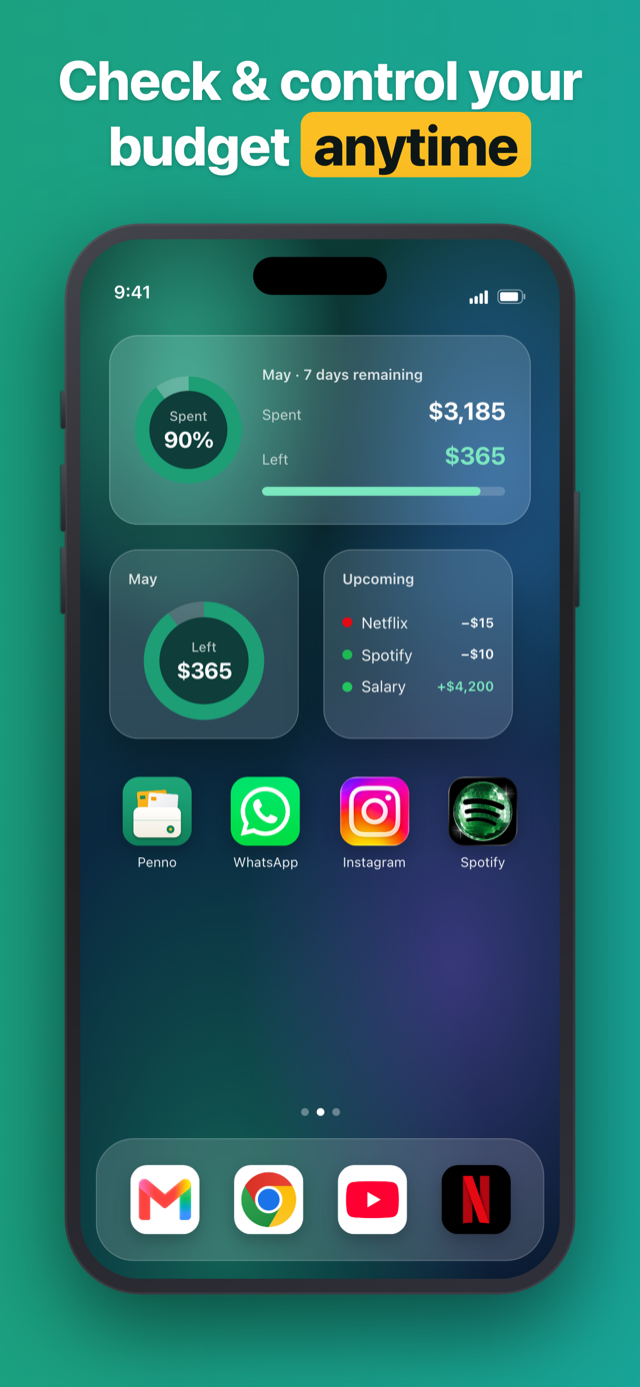
Drop a widget on your Home or Lock Screen - budget left, this month’s spend, upcoming bills, or your latest transactions, all without opening the app.
“Finally, an app that doesn't ask for my bank login. I deleted three apps last year for that exact reason.”
“I'm tired of every budgeting app turning into a subscription. Paid once, no nags ever since.”
“The reminder for old IOUs is brilliant. I'd literally forgotten my brother owed me $200.”
Penno never makes a network call about your finances. Your transactions, debts, and recurring charges live in budget-planner.db on your device. The only way data leaves the app is by your hand - export a CSV or XLSX, or back up to your own iCloud. Both are manual, and the iCloud backup goes to your own account, never a Penno server.
Something off? Send us an email - a real human reads every message, usually within a day.
No. Penno never asks for your bank login and contains no bank-aggregation SDK. Every transaction is entered manually. This is a deliberate architectural choice - your financial data never leaves your device.
One-time purchase. Pay once, own the app forever. No monthly fee, no annual renewal, no "upgrade to Pro" nag. The version you buy includes every feature.
Everything is stored in a local SQLite database on your iPhone (budget-planner.db). Penno makes no network call about your finances unless you back up to iCloud - which saves a single file to your own iCloud, never a Penno server. Either way, we never receive your data.
Yes - Penno is offline-first by design. Open the app on a plane, in a basement, or anywhere with no signal and every feature works. The only thing that uses the network is iCloud backup, and only when you tap Back Up or Restore yourself.
You can pick your primary currency in onboarding and change it any time in Settings. Penno uses the device locale for number formatting (JPY/KRW render with zero decimals, EUR placement follows your region). There is no live currency conversion - Penno tracks the currency you choose.
Yes. Penno exports your entire dataset to CSV or XLSX with one tap. CSV is round-trippable (you can import it back later - useful for moving between devices). XLSX is read-only. Both are scoped: pick which tables (transactions, categories, recurring, debts) and which date range to include.
Yes. Penno is on Android too, available on Google Play, plus iOS 15+ (iPhone, iPad). iOS shipped first, but both platforms have the same features and the same one-time purchase.
Your on-device data is deleted with it. If you saved an iCloud backup, it stays in your own iCloud until you remove it there. Either way, export to CSV or XLSX first if you want a file you control - you can import it back if you reinstall.